 Pastely
 Archly
The Screen Time
alternative for Mac
 Screen Time
Timecard tracks where your Mac time goes, splits the browser into real websites, keeps it forever, and every evening prints your day as a timecard. No account. Nothing leaves your Mac.
$5 for the first 1,000 · then $9 · then $29 · one-time payment · 14-day refund
01
Screen Time, as a real app.
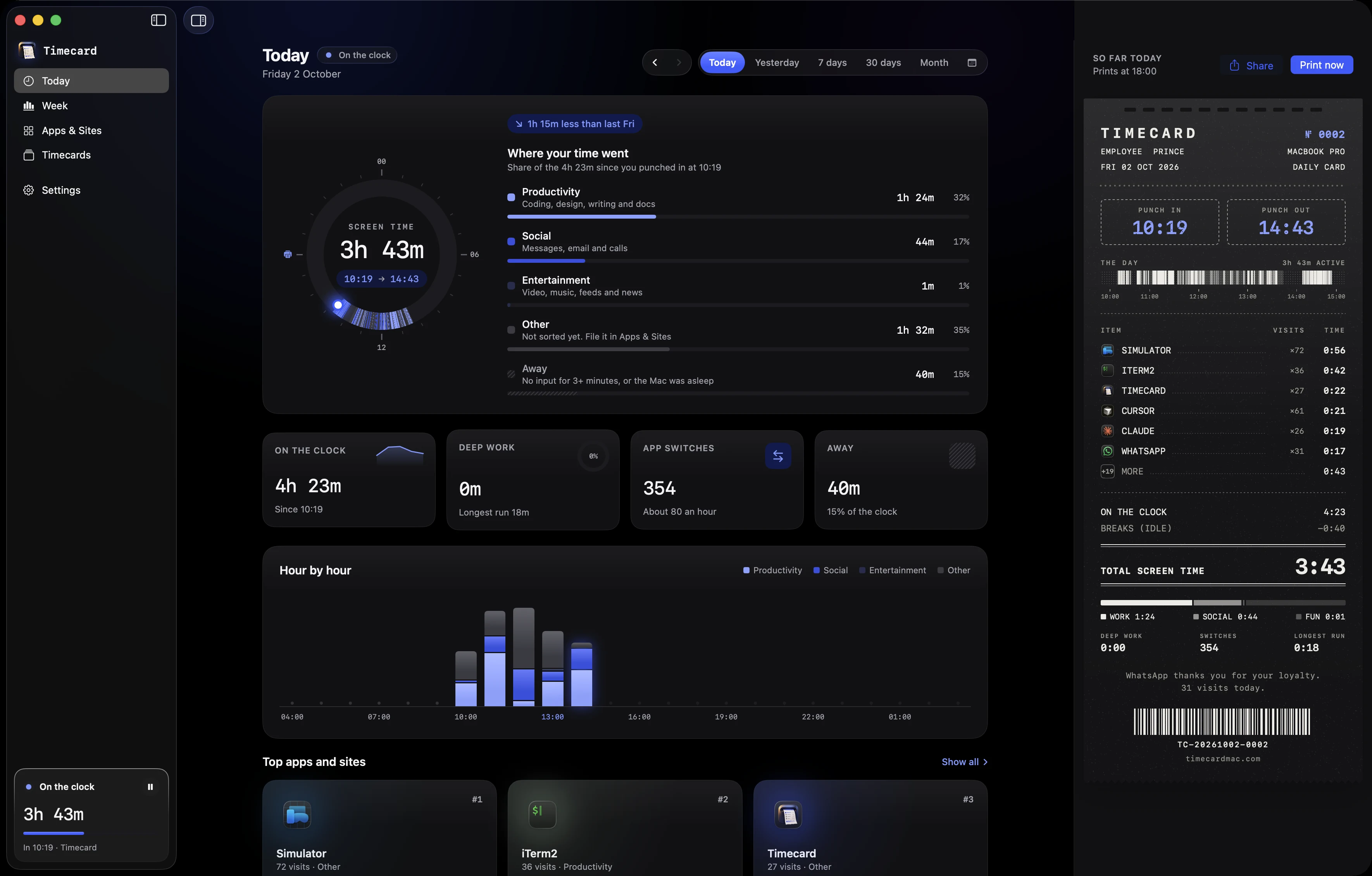
Apple's Screen Time is a page in System Settings that forgets after four weeks. Timecard is a window, a menu bar readout and a printer, and it keeps every day you've ever had.
Today. The day on a 24-hour dial, hour by hour, top apps, and today's card printing live. Real screenshots, real day.
02
Every evening, your day prints out.
At the time you choose, a card feeds out of the notch one line at a time, with a printer tick and a trackpad tap per line. Every number on it comes from your real day.
 VS CODE×384:12
 SLACK×741:31
 X.COM×121:12
 FIGMA×60:58
 ZOOM×30:47
 YOUTUBE.COM×90:41
Slack thanks you for your loyalty.
74 visits today.
 Chrome4h 31m
ONE LONG BLUR CALLED “CHROME”
03
Websites, not just “Chrome”.
An afternoon in the browser is four hours of “Chrome” in most trackers. Timecard reads the host of the front tab every few seconds and splits that time into github.com, x.com and the rest.
Safari, Chrome, Arc, Brave, Edge and other Chromium browsers. It reads the site's name only, never the page, the title or what you type.
04
Same day, two receipts.
Screen Time hands you a slip that fades after four weeks. Timecard itemises where the day really went, and keeps the receipt.
 SCREEN TIME
SYSTEM SETTINGS · TODAY ONLY
 TIMECARDKEEP
№ 0274 · KEPT FOREVER
05
Today's total, one glance away.
A punch-card glyph and today's screen time sit next to the clock, counting as you work. Click it for the day at a glance.
- Punch in and out, and a strip of the day by category
- Your top five apps and sites, with visits
- Pause tracking, print early, or open the window
Try it: click the menu bar item, pause, hover the strip.
THU 1 OCT
5h 12m
In 08:51
Out now
Hover the strip
VS Code38×2h 12mSlack74×1h 01m github.com22×44m
 Figma6×38myoutube.com9×17m
06
A card worth posting.
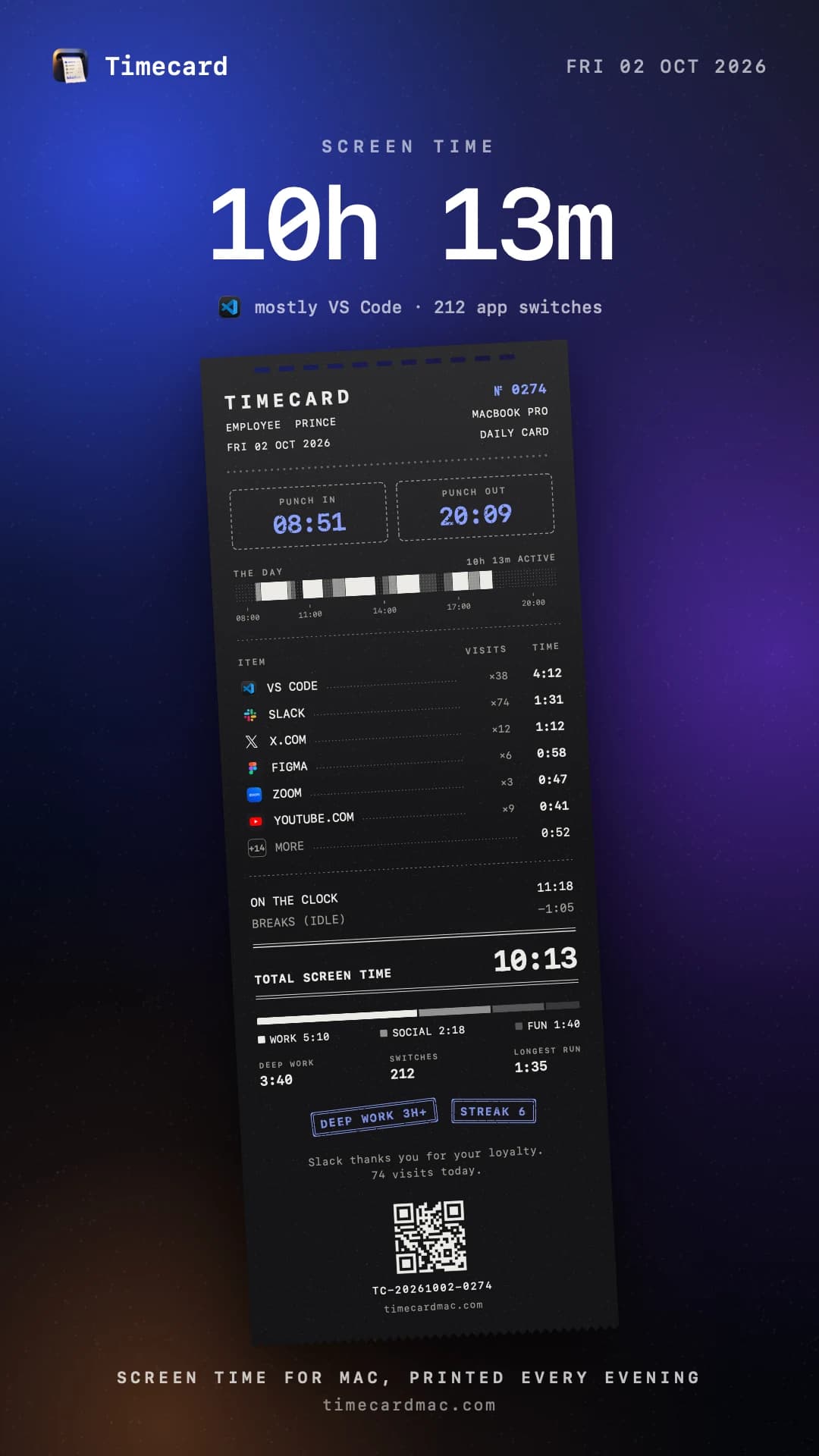
Share any day as a story or a post. Pick the backdrop and the paper, add a headline with your total, tilt the card like it was just torn off, and write your own caption.
Want to share without the details? Turn on categories only and every app becomes Work, Social or Fun. Copy it, save it, or send it straight from the share sheet.
07
What you do never leaves your Mac.
A screen time tracker sees every app you open and every site you visit. Timecard writes all of it to one file on your machine, and nothing about your day crosses the line.
THIS MAC
timecard
.sqlite
10,535 sessions
~/Library/Application Support
THE INTERNET
0
BYTES ABOUT YOUR DAY
08
Also included.
The smaller things that make it yours.
Weeks of history on day one
Import the app history macOS already kept, so the charts are full from the first minute.
Deep work and streaks
Unbroken 25-minute runs in productivity apps, a ring toward the 3-hour stamp, and streaks you can keep.
Any range you like
Today, yesterday, 7 or 30 days, a month, or any range on the calendar, with a typical day hour by hour.
Slack1h 31myoutube.comfolds into “+ 14 MORE” on the card
Hide from cards
Keep an app off your printed and shared cards. It still counts in your totals.
Your day, your hours
Up past midnight? Choose when the day ends, so late nights count toward the day before.
FigmaFile it your way
Productivity, Social, Entertainment or Other. Move any app or site and every chart follows.
09
Pay once.
Keep every card.
$5 for the first 1,000, rising in steps to $29 as licences sell. No subscription, and every update is included.
one time, every update included
$5 for the first 1,000 licences, then $9
$5
First 1,000 · now
$9
Next 100
$29
Regular price
- Every feature and every update, for good
- Both papers, all share backdrops, unlimited cards
- 14-day refund if it is not for you
macOS 14 Sonoma or later · Apple silicon and Intel · No account
TIMECARD
Frequently
asked questions
Something else? Email hi@timecardmac.site and a person replies.
The app
Buying